Thermal Camera for Electrical Panels: What a Panel Survey Finds, and the Specs That Decide It
Panels are the most common thermal target in a plant and the easiest one to get wrong: small components, low temperature differences, reflective metal and readings that depend entirely on load. This guide maps eight panel types to the faults they actually reveal, gives the delta-T bands that turn an image into a work order, and explains which camera specification decides whether a 10 mm lug at two metres is a measurable hot spot or an unreadable blur.
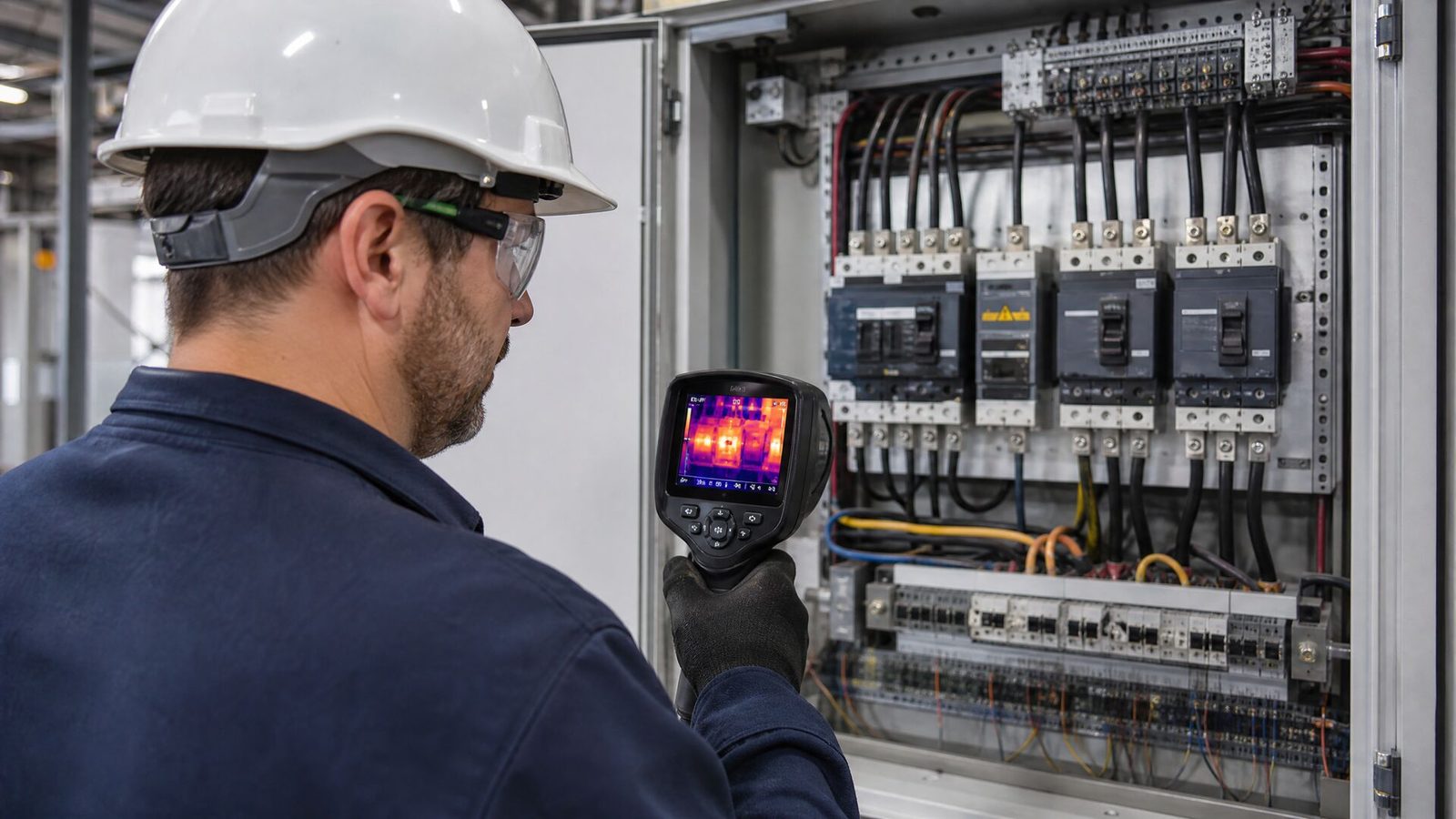
A thermal camera for electrical panels works because a bad connection is a resistor. A lug that was never re-torqued, a corroded busbar joint, a breaker terminal that has been cycling under overload — each adds resistance in series with a conductor that was designed to carry current with almost none. At the same current, that extra resistance dissipates extra heat, and the heat appears on the surface within minutes. The camera does not measure resistance. It measures the temperature rise that resistance produces, which is why the same fault can look alarming at full load and invisible at 20 % load.
That single fact decides how a panel survey has to be run, what the report must contain, and which camera you need. Twelve megapixels of marketing resolution will not save a survey carried out at quarter load; a correctly loaded panel photographed with a focused 256×192 camera will find the loose neutral every time.
The models referenced in this guide are the ones we supply and support: the EasIR Series, the Hammer II Series and the PT II Series. Where a specification is model-specific we name the variant, because a printed range for one suffix must never be read as covering a whole series.
- The Short Answer
- Why Panels Are the Hardest Thermal Target
- Setting Up a Survey That Produces Usable Numbers
- Panel by Panel: What Each Type Reveals
- From Image to Work Order: Delta-T Bands and Load Correction
- The Specifications That Decide a Panel Camera
- A Repeatable Panel Walkdown
- What a Thermal Camera Cannot Tell You Inside a Panel
- What the Report Must Contain
- Frequently Asked Questions
- The Bottom Line
The Short Answer
A thermal camera finds panel faults when four conditions are met at the same time: the circuit is carrying enough load for a resistance fault to produce a measurable temperature difference; the camera puts enough pixels on a target the size of a lug or a breaker terminal; the emissivity and focus settings match what you are pointing at; and the survey has a severity rule agreed in advance so that a red spot in the image becomes a specific action.
For panel work specifically, that usually means a camera with 256×192 or 384×288 infrared resolution and a 25° lens for close-up scanning, a thermal sensitivity in the 15–40 mK range, and a measurement range that covers −20 to +650 °C. Wide switchrooms, long busbar runs and outdoor kiosks compared from a distance push the requirement to 640×512 or the PT II range. Everything else in a datasheet is secondary to those three numbers — and to the load you arrange before the survey starts.
Why Panels Are the Hardest Thermal Target
A panel concentrates more thermal problems into less space than any other electrical asset. Four properties make it difficult.
1. The targets are small
The component that fails is rarely the busbar. It is the 8–16 mm lug bolted to it, the breaker terminal behind it, the neutral bar screw. A camera that resolves the whole panel beautifully at 2 m may still cover a lug with fewer than two pixels, which means the reported temperature is an average of the lug and the cooler metal around it. The hot spot is diluted before it is ever displayed.
2. The temperature difference depends on current
Heat in a resistive joint follows P = I²R. Put 3 mΩ of extra contact resistance in a circuit carrying 200 A and the joint dissipates about 120 W in a few square centimetres; the same joint at 60 A dissipates about 11 W. The first case is a bright hot spot, the second is a faint smudge that a careless inspector walks past. Nothing about the joint changed — only the load did. Any panel survey that does not record the load at the moment of measurement has produced numbers that cannot be compared with anything, including its own next visit.
3. The surfaces fight the measurement
Painted enclosures, plastic breaker bodies, insulated cable and tinned copper all behave well, with an emissivity near 0.95. Bare copper busbar and bright plated terminals do not: their emissivity can be below 0.2, so most of the infrared signal reaching the camera is reflected from whatever is behind the inspector, not emitted by the joint. Set the camera to 0.95 on a shiny busbar and the reading is pulled toward the reflected background — usually lower than the true surface temperature. The joint can be hot and the number can be unremarkable at the same time. This mistake is covered in detail in emissivity in electrical thermal inspection.
4. The enclosure blocks the view
A closed metal door is opaque at 8–14 µm. Either the door is opened under an arc-flash risk assessment, or the panel is fitted with an infrared window and scanned closed. Both routes are valid; mixing them without recording which was used produces a report in which readings taken through a window at a fixed angle sit next to readings taken at 40 cm with the door open, and nobody can tell why the numbers moved.
Outdoor kiosks and pad-mounted enclosures add a fifth problem: solar gain and internal convection make the enclosure itself warmer than the components inside, so absolute temperatures mean little and comparison between identical units under the same sun is the only reliable method.
Setting Up a Survey That Produces Usable Numbers
Before the first image, six parameters decide whether the survey will be worth anything.
- Load. Aim for at least 40–50 % of rated current, with the phases as balanced as the process allows. Record the amperage per phase next to every reading. If the plant cannot be loaded, say so in the report instead of presenting low-load images as a clean bill of health.
- Steady state. Thermal patterns take time to develop. A panel that was just re-energised, or a feeder that was just switched, will not show its true pattern for tens of minutes.
- Access and safety. Opening a live panel door changes the arc-flash exposure of everyone in front of it. Work to the site's electrical safety programme, use the rated PPE, and prefer infrared windows where the panel design allows closed-door scanning.
- Emissivity. 0.95 for painted metal, plastic and insulation; apply a known-emissivity target or a correction table for bare copper and bright plating. Never silently use one setting for both.
- Focus and framing. Fill the frame with the panel section, focus manually on the terminal rather than the door, and keep the camera perpendicular to the surface so reflections of the inspector's own body do not land on the target.
- Reference values. Record ambient temperature and, where possible, the enclosure's internal air temperature. Phase-to-phase comparison is the strongest evidence in a panel; ambient rise is the weakest, because it depends on enclosure ventilation, sun and neighbouring loads.
In panel thermography the load record matters as much as the image. A 6 K rise measured at 40 % load is a 37 K rise at rated current — the same joint, two completely different maintenance priorities.
Panel by Panel: What Each Type Reveals
Panels are not interchangeable targets. The fault that dominates in a motor control centre is not the one that dominates in a lighting distribution board, and the inspection position changes with the enclosure. The table below is the working map we use when scoping a survey.
| Panel type | Where faults appear | What the camera shows | Practical note |
|---|---|---|---|
| Main LV switchboard / incomer | Busbar joints, breaker line and load terminals, cable lugs, neutral and earth bars | One phase or one joint markedly warmer than its neighbours at the same current | Highest consequence in the plant; scan at the highest load the site can give you, even if that means a weekend run |
| Motor control centre (MCC) bucket | Contactor terminations, overload relay, fuse holders, outgoing cable lugs | A single warm pole, or a whole bucket warmer than identical buckets on the same bus | Compare bucket to bucket, not phase to phase alone; motor loading differs between buckets. See MCC thermal inspection |
| Distribution board (lighting, sockets) | Loose incoming lugs, shared neutral overload, unbalanced single-phase circuits | Warm neutral bar or a hot lug with no hot cable — the signature of a bad termination, not an overload | The cheapest faults to fix and the most commonly missed; small boards reward close focusing |
| Capacitor bank / detuned reactor | Capacitor cans, fuses, reactor terminals, contactor poles | One can cooler than the rest (failed element), or reactor terminals much hotter than the cans | A failed capacitor often reads cold. Detail in capacitor bank thermal inspection |
| VFD / soft starter panel | Input and output terminals, DC bus connections, heatsink versus cable temperature | Terminal heat that does not match the heatsink pattern, or one output phase hotter than the others | Harmonic content and switching frequency make absolute values less useful; compare identical drives |
| Control and protection panel | Terminal blocks, power supplies, CT secondary circuits, relay contacts | Small absolute rises, often 2–8 K, on low-current circuits | The smallest temperature differences in the plant; this is where NETD and focus matter most |
| Busway / busduct joints | Joint blocks, tap-off boxes, expansion sections | Joint warmer than the straight run either side of it | Scan from below and from both sides; a joint hidden above a ceiling void is invisible. See busbar and busduct inspection |
| Outdoor kiosk / pad-mounted enclosure | Terminations, cable boxes, seals, internal convection paths | Differences between identical units in the same sun and load | Absolute readings are weak evidence outdoors; compare like with like, at the same time of day |
From Image to Work Order: Delta-T Bands and Load Correction
An image with a hot spot in it is not a finding. A finding is a temperature difference, referenced to a comparable component, converted to a maintenance action under a rule that the asset owner accepted before the survey began.
Compare the right two things
In a three-phase panel the strongest reference is the same component on another phase, under the same load. Second best is the same component in an identical panel. The weakest is rise over ambient, which is still useful for trending one asset over years but poor for deciding whether a joint is bad today. Record which reference was used; the number is meaningless without it.
The bands most programmes start from
The bands below are the widely used starting point in electrical thermography. They are a starting point, not a standard: your maintenance procedure, the asset criticality and the consequences of failure govern the final action.
| Delta-T (phase-to-phase or vs. identical component) | Class | Typical action |
|---|---|---|
| 1–3 K | Possible deficiency | Re-scan at higher load; check torque at the next planned shutdown; keep in the trend record |
| 4–15 K | Probable deficiency | Schedule repair: re-terminate or re-torque, replace the lug or breaker, verify with a re-scan under load |
| > 15 K | Major discrepancy | Treat as an immediate risk: reduce load, plan an urgent intervention, and do not close the finding without a repeat measurement |
Correct the reading to the load you care about
Because the temperature rise scales approximately with the square of the current, a low-load reading can be projected to rated current:
ΔTrated ≈ ΔTmeasured × (Irated / Imeasured)²
Measured 6 K at 40 % of rated current projects to roughly 37 K at full load. Measured 3 K at 20 % projects to 75 K. That arithmetic is why a survey done on an idle plant is not a negative result — it is an unfinished one. Present the projection as an estimate, state the measured load, and re-scan before you commit to a repair scope.
Watch the two traps
Reflections. A bright plated terminal can mirror a warm adjacent conductor, producing a hot spot that does not exist. Move 30–40 cm to one side and re-image; a real hot spot stays, a reflection moves.
Emissivity mismatch. A bare busbar measured at 0.95 reads cool. If a shiny joint looks suspiciously uniform, check the setting before you write it off — and before you write it up as a fault. Reading accuracy itself is covered in thermal camera accuracy for electrical readings.
The Specifications That Decide a Panel Camera
Panel inspection is a resolution-and-focus problem before it is anything else. The industry rule of thumb is that a target must cover at least three pixels across for its temperature to be measured rather than averaged; some laboratories insist on a 3×3 pixel block. Everything follows from that rule applied to the smallest thing you must measure.
Instantaneous field of view, not headline resolution
The instantaneous field of view (IFOV) is the angle each pixel sees. Multiply it by the working distance to get the smallest resolvable target. With a 25° horizontal lens and the three-pixel rule:
| IR resolution | IFOV (25° lens) | Smallest measurable target at 1 m | at 2 m | at 3 m |
|---|---|---|---|---|
| 256×192 | ≈ 1.7 mrad | ≈ 5 mm | ≈ 10 mm | ≈ 15 mm |
| 384×288 | ≈ 1.1 mrad | ≈ 3.4 mm | ≈ 6.8 mm | ≈ 10 mm |
| 640×512 | ≈ 0.68 mrad | ≈ 2 mm | ≈ 4 mm | ≈ 6 mm |
| 1280×1024 | ≈ 0.34 mrad | ≈ 1 mm | ≈ 2 mm | ≈ 3 mm |
Read the second row against a real task: a 10 mm lug at 2 m is exactly at the limit of a 256×192 camera and comfortable on a 384×288. Step back to 3 m with the 256 and the lug no longer meets the rule — which is why the practical answer for panel walkdowns is usually "get closer", not "buy more pixels". For the full derivation see lens and IFOV selection and 256×192 vs 384×288 vs 640×512.
Three models, three panel jobs
The three Series we supply cover the panel work we see most often. Specifications below are from the published data; the exact suffix and optic that fits your site is confirmed in the quotation.
| Specification | EasIR Series | Hammer II Series | PT II Series |
|---|---|---|---|
| IR resolution | 384×288 (E4S) / 256×192 (E3S, E2+S) | 640×512 (Hammer II Pro) / 384×288 (Hammer II) | 480×360 / 640×512 / 1024×768 / 1280×1024, model-dependent |
| Thermal sensitivity (NETD) | ≤ 15 mK @ 25 °C | ≤ 40 mK @ 30 °C | < 20 mK @ 30 °C |
| Measurement range | −20 to +650 °C | −20 to +650 °C standard; up to +2000 °C optional | −20 to +650 °C standard; up to +2500 °C optional |
| Focus | Manual / auto | Manual / auto / electric | Manual, with TwinView dual field of view |
| Useful panel job | Distribution boards, MCC buckets, close-up lugs — tool-like, 2 m drop rated, > 12 h battery | Main switchboards, outdoor kiosks, long-range comparison — laser ranging to 40 m, 5-inch touchscreen | Wide switchrooms, busbar runs, fine detail at distance — up to 1280×1024, 50 Hz |
| Enclosure / handling | IP54, ≈ 0.6 kg, 3.5-inch display | IP54, ≈ 1.48 kg with battery | IP54, 5.5-inch HD touchscreen, 32 GB storage |
In practice: an EasIR with the 384×288 detector and 15 mK sensitivity is the natural instrument for a full day of panel doors, because the sensitivity finds the small control-panel rises and the battery lasts the shift. A Hammer II earns its place on the incomer, the outdoor kiosks and anything you need to range from several metres away, where the laser distance and the 640×512 detector on the Pro suffix keep the pixel count honest. The PT II is for the switchroom where one image has to cover a whole board, or for reading a joint from the floor instead of from a ladder.
A Repeatable Panel Walkdown
- Scope and load plan first. List the panels, agree the load window with operations, and confirm which panels can be opened and which will be scanned through windows.
- Baseline the environment. Ambient, sun, wind and enclosure temperature at the start of the walkdown.
- Scan the outside before the inside. Enclosure surface, cable entries and gland plates catch convection problems and water ingress that the interior scan will not explain.
- Work the panel in a fixed order — incomer, busbars, breakers, outgoing lugs, neutral and earth bars — so the next survey follows the same path.
- Capture a visual image with every thermal one. A hot terminal is only actionable when the electrician can find it.
- Note the current and the reference used for each reading; correct low-load readings by the square rule.
- Re-scan every probable or major finding at a different angle to rule out reflection, and record the second reading.
- Close the loop. After repair, re-scan under the same load and attach the after-image to the same asset record. A finding without a verified repair is an open risk.
What a Thermal Camera Cannot Tell You Inside a Panel
Thermal imaging is the fastest way to find a hot joint. It is not a condition assessment of the panel, and selling it as one is how inspection programmes lose credibility.
- It cannot see a loose connection that is not yet hot. A joint with correct torque but early corrosion may take months to produce a measurable rise. Thermal inspection is periodic screening, not proof of tightness.
- It cannot see partial discharge inside a sealed compartment. PD produces heat only at advanced stages; its earlier signature is ultrasonic, UHF or TEV. If discharge is the question, use a PD instrument — the HPD200 or the SC Series — and read can a thermal camera detect partial discharge before you promise anything.
- It cannot see inside a breaker mechanism. A breaker that fails to trip is an electromechanical and protection-testing problem, not a thermal one.
- It cannot separate overload from bad connection without the current record. The image shows heat; the ammeter and the phase comparison explain it.
- It cannot compensate for a survey done at the wrong load. No camera setting fixes a panel at 15 % load.
What the Report Must Contain
A panel thermography report that an electrician can act on has, for every finding: the panel identifier and location; the load in amperes per phase at the moment of measurement; ambient and enclosure temperature; the component measured and the reference component; the measured delta-T and the load-corrected estimate; the severity class under the agreed rule; the paired thermal and visual images with the emissivity setting noted; and the recommended action with a target date. Anything less and the next shift will re-discover the same hot spot from scratch.
For the broader survey sequence around the panels, see the plant electrical survey workflow and switchgear and distribution panel best practices.
Frequently Asked Questions
Can a thermal camera see inside a closed electrical panel?
Not through a metal door — steel is opaque at 8–14 µm. Closed-door scanning requires an infrared window matched to the camera's spectral range. Without one, the door must be opened under the site's arc-flash procedure, with the appropriate PPE and a documented risk assessment.
What resolution do I need for electrical panel inspection?
Work from the smallest target and the working distance. For panel doors at 0.5–1.5 m, 256×192 meets the three-pixel rule for lugs of about 8 mm; at 2–3 m, 384×288 is the practical minimum. For whole-board images or joints read from the floor, 640×512 and above.
What temperature difference means a fault in a panel?
Most programmes act on 4 K or more between phases or between identical components, and treat more than 15 K as urgent. The bands must be agreed with the asset owner before the survey, because the same number carries different consequences on a 16 A lighting circuit and a 630 A incomer.
Why did the survey find nothing when a joint later failed?
The usual cause is load. A high-resistance joint at 20 % load may rise only 2–3 K, which sits inside normal variation. Record the load with every image, and repeat critical panels at the highest load the plant can offer before concluding that a panel is healthy.
The Bottom Line
A thermal camera for electrical panels is a load-dependent instrument. Arrange the load, get close enough that a lug covers three pixels, set emissivity for the surface you are actually measuring, and convert every delta-T into an action under a rule agreed before the walkdown. Do that with a 384×288 camera and you will out-inspect a casual survey done with a 1280×1024 one. The camera decides how small a fault you can see; the method decides whether you see it at all.
Which camera fits your panels?
Send the panel types, the smallest component you must measure, the distance you can work from, the rated current, and the country of delivery. We will confirm which model and optic meets the specification, and whether we are the right supplier for the job.